Photo Book Magazine Template Layout: Streamline Your Editorial Design
In the world of publishing and content creation, time is often the most valuable resource. Whether you are a photographer compiling a portfolio, a small business owner creating a brand lookbook, or a marketer designing a quarterly newsletter, the gap between a raw concept and a polished final product can be vast. This is where the Photo Book Magazine Template Layout steps in, bridging the divide between amateur efforts and professional editorial design. It offers a contemporary, clean structure that allows you to focus on your content rather than wrestling with page mechanics.
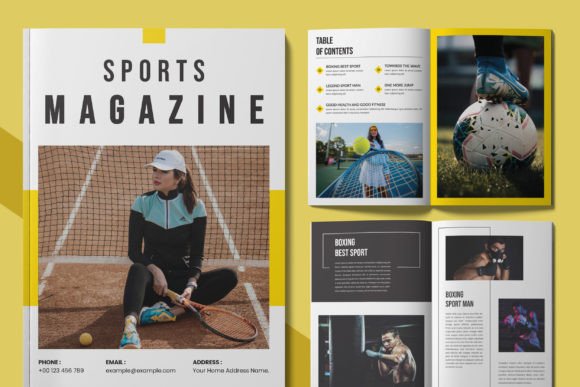
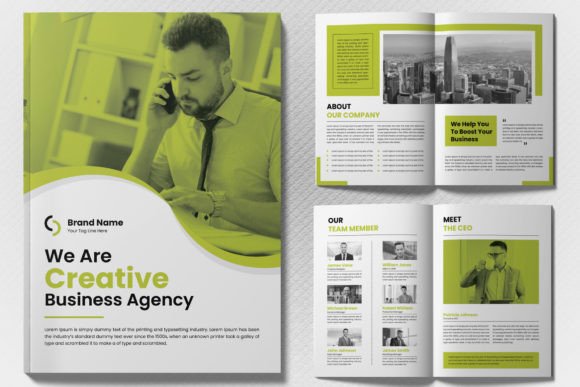
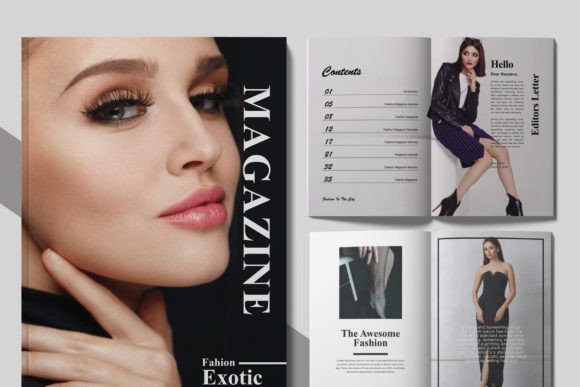
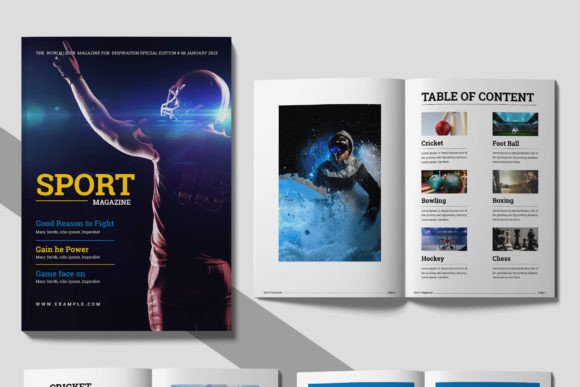
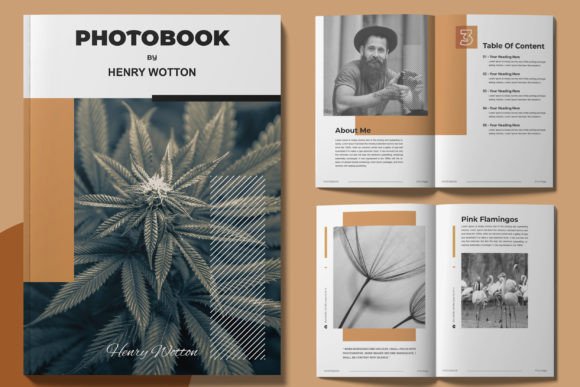
The visual personality of this template is defined by its minimalist aesthetic and balanced composition. It doesn't scream for attention with flashy graphics; instead, it provides a sophisticated canvas that lets your imagery do the heavy lifting. The layout utilizes a modern typography approach, employing clean sans-serif font pairings that ensure readability while maintaining a high-end feel. The grid system is well-organized, providing a sense of order that guides the reader’s eye naturally across the spread. This is not just a collection of pages; it is a framework for visual storytelling that feels both current and timeless.
The Anatomy of a Modern Editorial Template
Understanding what makes this Photo Book Magazine Template Layout effective requires looking beyond the surface. At its core, it is built for adaptability. The template is specifically designed to be 100% editable, meaning every element—from the color blocks to the text boxes—can be reshaped to fit your specific vision. It is built on a foundation of well-organized layers. For anyone who has spent hours searching for a specific element in a cluttered file, this structure is a breath of fresh air. It allows for instant modifications, ensuring that your workflow remains uninterrupted.
One of the standout features is its compatibility with Adobe InDesign (INDD). Industry professionals know that InDesign is the gold standard for layout design, and having a template that utilizes this software ensures maximum control over the final output. The template includes an A4 paper size, which is a versatile standard for both digital distribution and physical printing. Furthermore, the use of a CMYK color scheme is crucial. While RGB is for screens, CMYK ensures that the colors you see on your monitor translate accurately to the printed page, avoiding the disappointment of washed-out or off-tone prints.
The aesthetic appeal lies in the balance between whitespace and content. Modern design trends favor breathing room, and this template embraces that philosophy. It avoids the cluttered look of outdated magazine designs, offering a clean, professional appearance that elevates the perceived value of whatever you are publishing. Whether you are showcasing high-resolution photography or dense informational graphics, the layout maintains a visual hierarchy that keeps the reader engaged.
Practical Applications for Creators and Businesses
The versatility of the Photo Book Magazine Template Layout makes it a valuable asset across numerous industries. It is not limited to one specific niche, which broadens its utility significantly.
- Photographers and Artists: For those in the creative field, this template serves as the perfect portfolio builder. You can arrange your best shots in a narrative flow, creating a tangible art book or a digital PDF to send to prospective clients. The clean layout ensures that the focus remains entirely on the artwork.
- Small Business Owners: If you are launching a new product line, a lookbook is an excellent marketing tool. This template allows you to pair product photography with compelling copy and specifications. It helps establish a professional brand identity without the need to hire a dedicated design agency for every piece of collateral.
- Bloggers and Content Creators: Repurposing content is a smart strategy. You can take your best blog posts, combine them with relevant images, and compile them into a downloadable magazine or lead magnet. This adds a layer of prestige to your content, encouraging your audience to engage more deeply with your brand.
- Event Planners and Hobbyists: From wedding albums to travel diaries, the personal applications are endless. The ease of editing means you can quickly assemble memories into a polished format suitable for printing and gifting.
Optimizing Your Workflow and Design Strategy
Adopting a new design asset like the Photo Book Magazine Template Layout is about more than just opening a file; it’s about integrating it into your creative process. The first step is evaluating the project fit. Before you begin, ask yourself what the primary goal of the publication is. Is it to inform, to sell, or to entertain? The answers will dictate how you utilize the template’s spreads.
One of the most practical aspects of this package is the inclusion of links to free fonts. Typography can make or break a design. By using the recommended fonts, you maintain the template's original integrity. However, if you wish to customize further, consider testing different font pairings. A common strategy is to use a bold display font for headlines to grab attention, paired with a highly legible serif or sans-serif font for body text. This contrast creates a dynamic visual rhythm that aids readability.
When it comes to print readiness, the template does the heavy lifting, but you must ensure your images are high resolution. Since the layout is designed for print, using low-quality images will result in pixelation. Always source images that are at least 300 DPI (dots per inch) to ensure crisp, professional results. The CMYK color mode is already set, but be mindful of how you apply colors to text and overlays to ensure sufficient contrast.
Finally, consider the user experience. If this is a digital magazine, ensure that the navigation feels intuitive. If it is a print piece, think about the paper stock. A high-gloss finish might suit a fashion lookbook, while a matte texture might better serve a corporate report or a rustic art book. The Photo Book Magazine Template Layout provides the structure, but your material choices provide the soul.
Ultimately, this template is a tool for efficiency and quality. It removes the technical barriers to entry, allowing designers, entrepreneurs, and hobbyists alike to produce publication-ready content. By leveraging its organized layers and modern design sensibility, you can create a cohesive, engaging, and professional magazine that resonates with your audience.